Courtside HD
Video & sports broadcasting
Your game. Your channel.
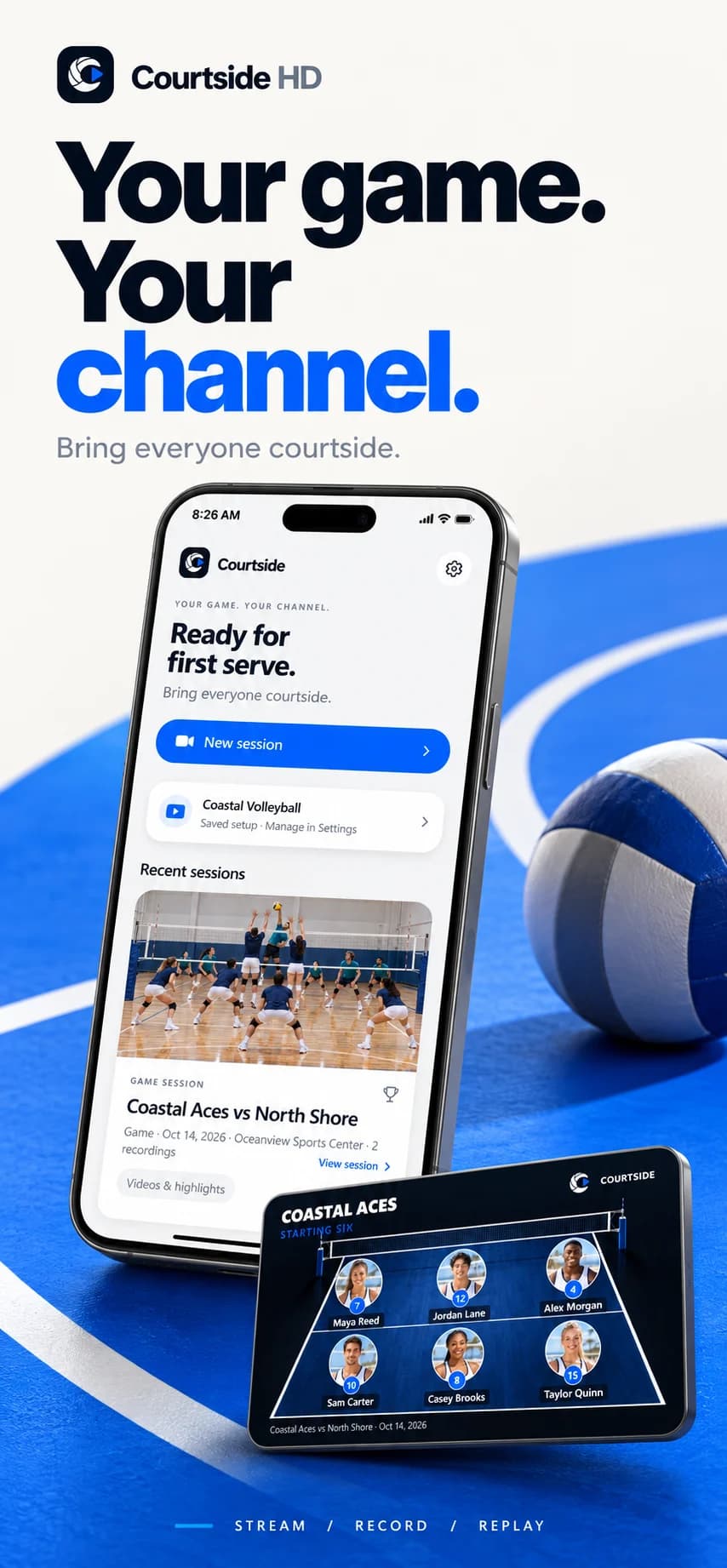
An iPhone app for streaming volleyball to your YouTube channel, recording games locally, and creating highlights.
Prepare
Set up the session, team, and capture choices.
Capture
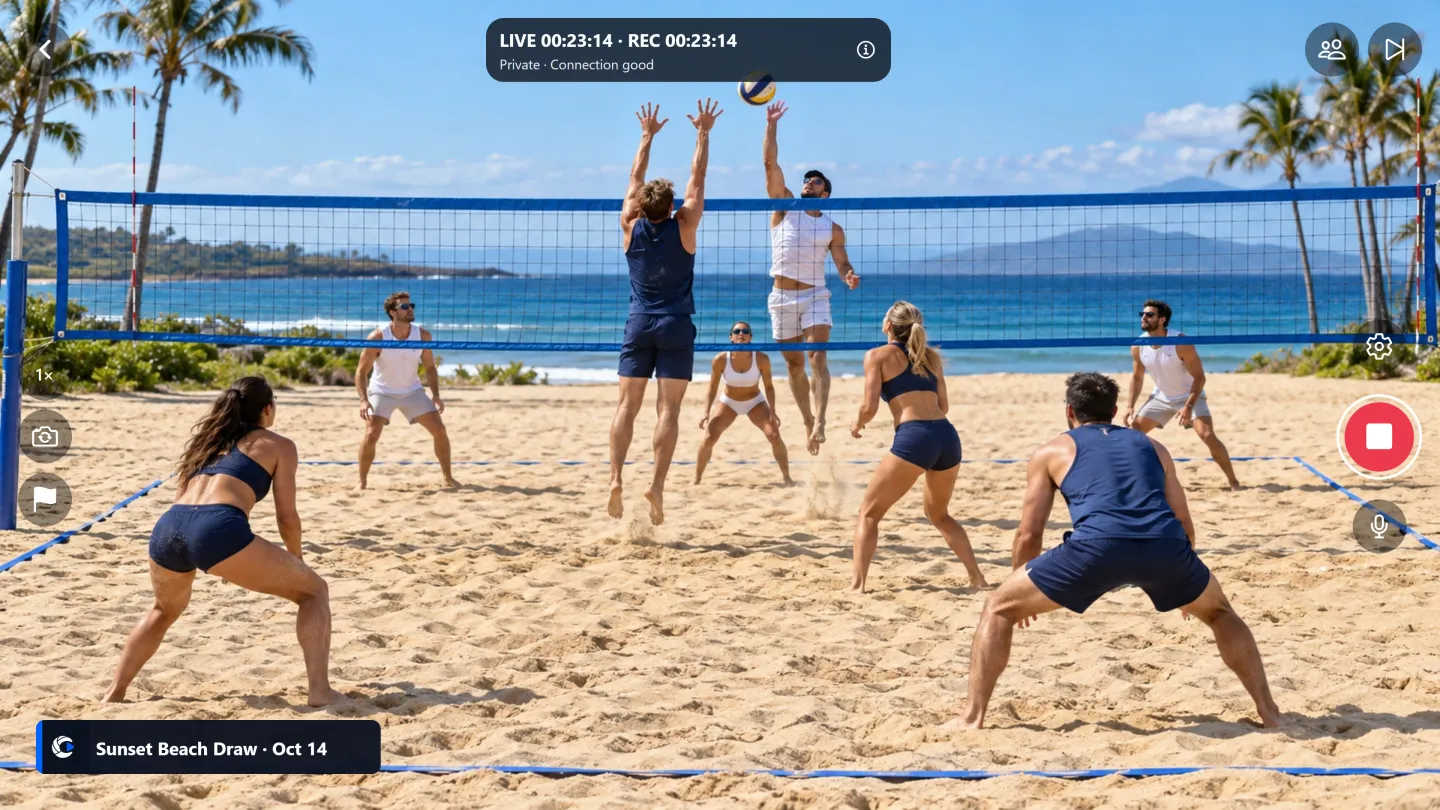
Stream, record locally, or do both.
Replay
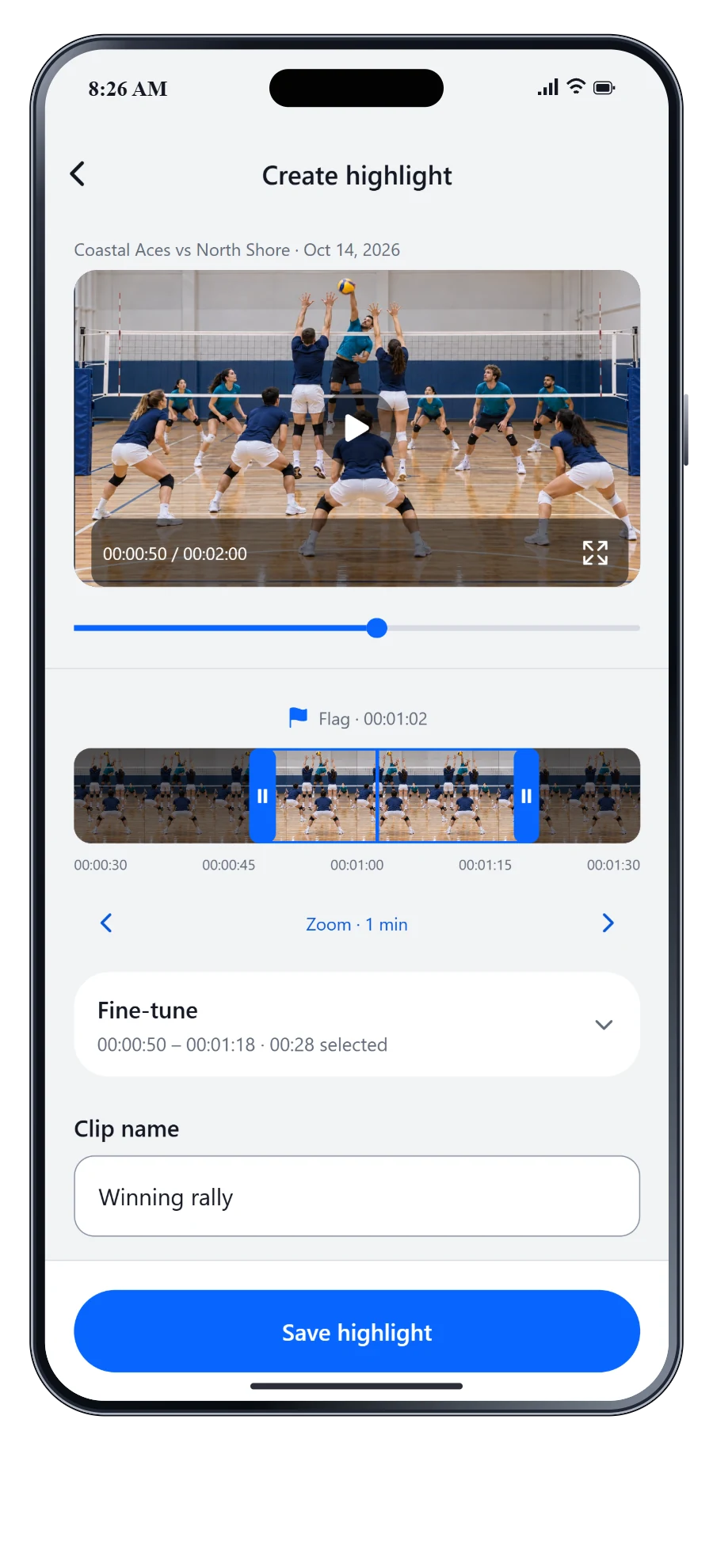
Find the footage and keep a favorite rally.
From first serve to final replay
Bring everyone
courtside.
Pre-release product previews · Sample content. Fictional teams and players, with illustrative match imagery.
Explore the previews. Select one for a closer look.
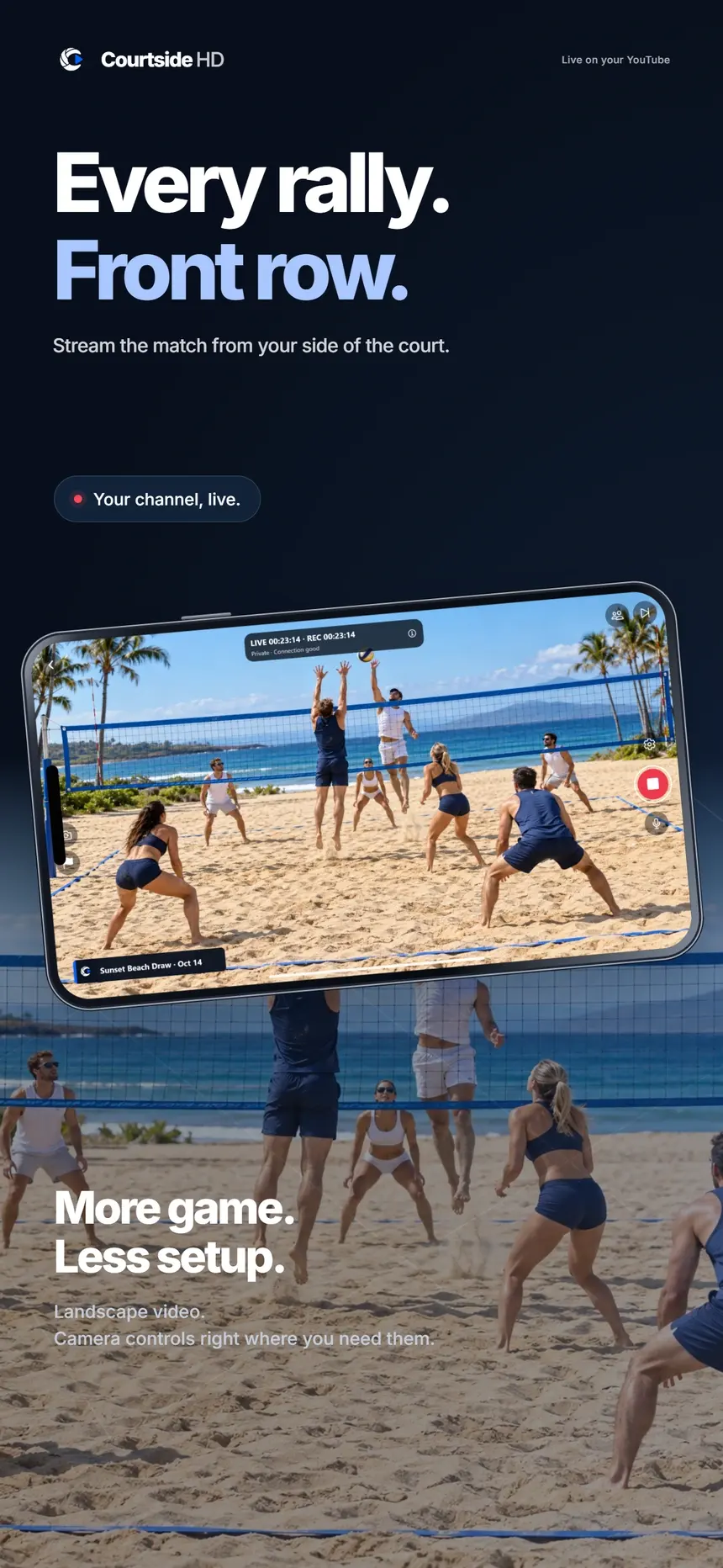
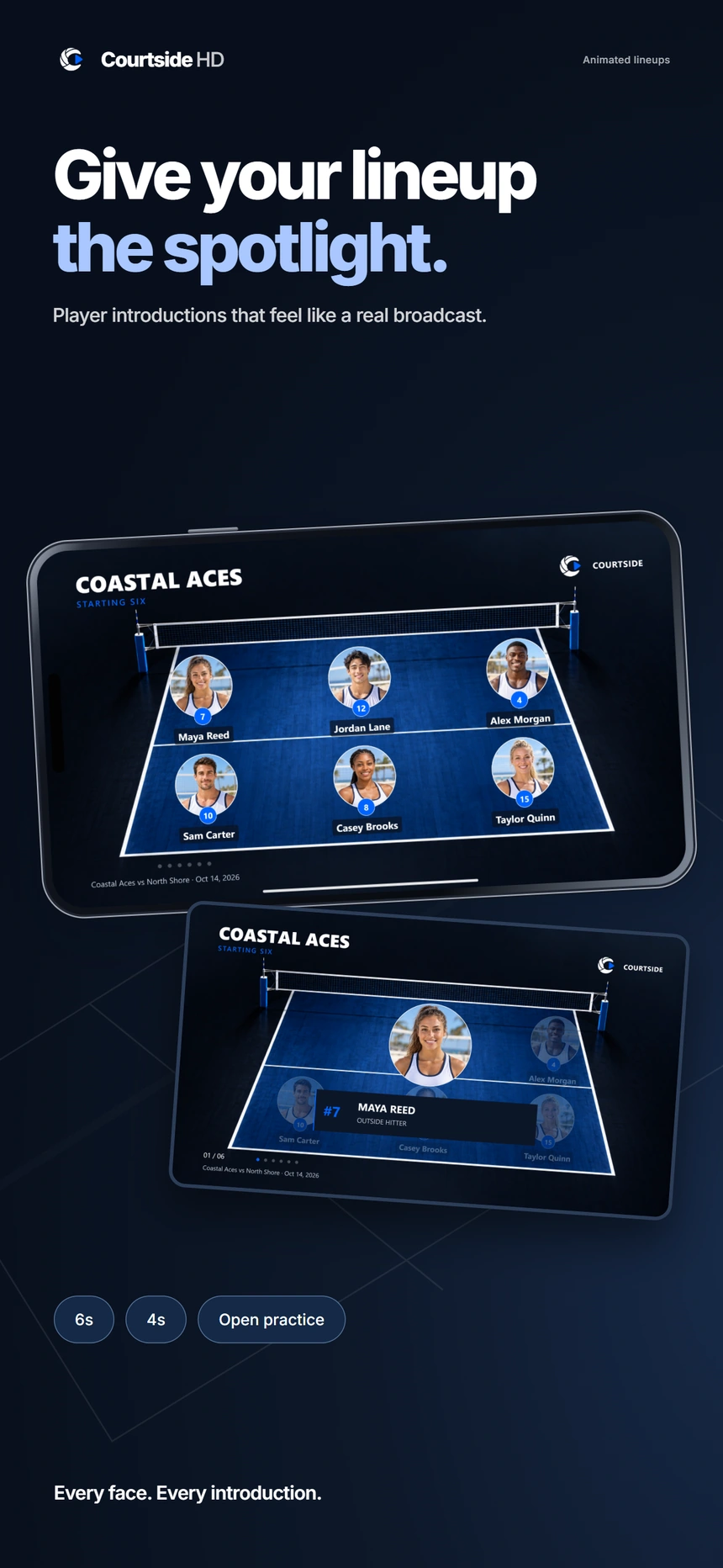
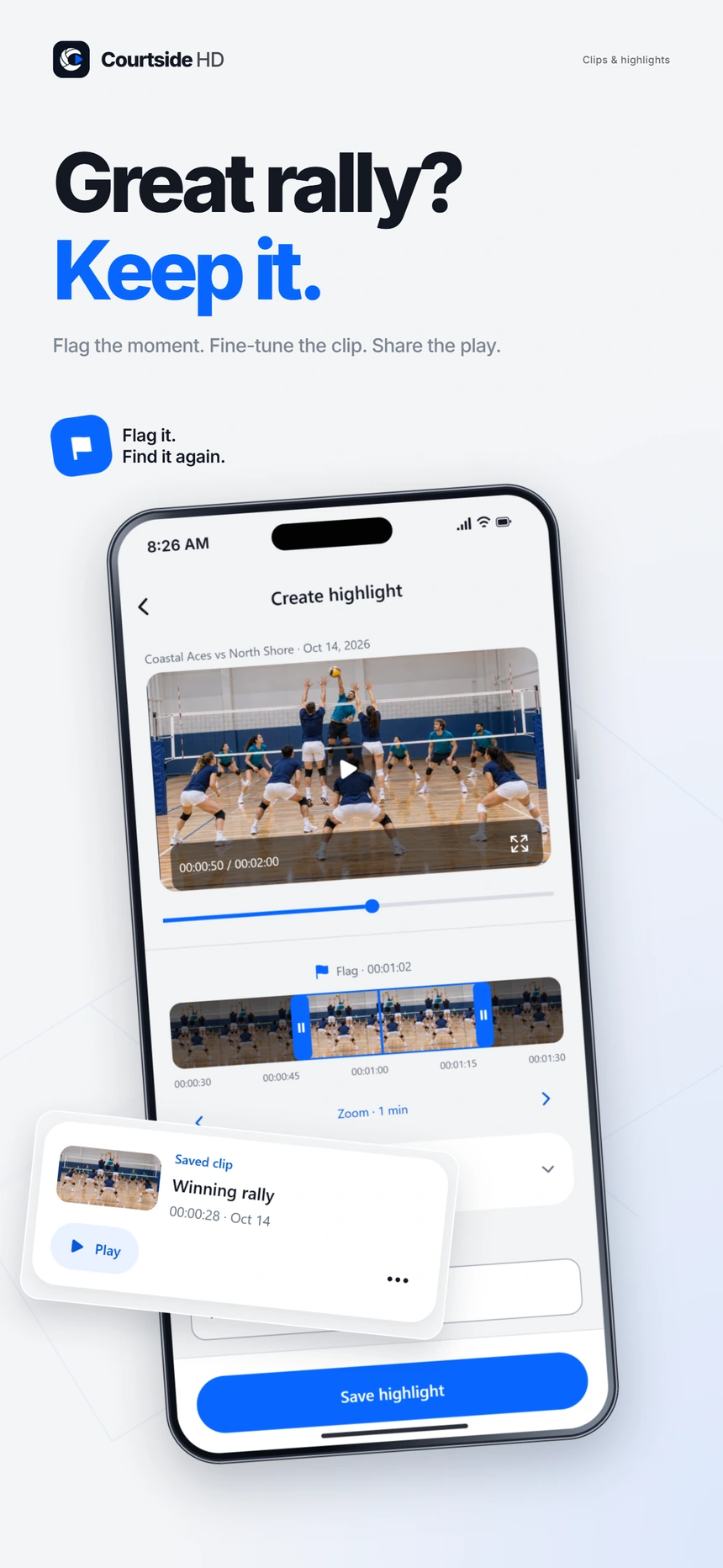
- My role
- Independent product design & development
- Built for
- Volleyball players, teams, and the people watching their games
- Tools
- React Native · Expo · TypeScript · Swift · HaishinKit · YouTube API
The problem
behind the product.
I wanted a better way to share my volleyball games. Streaming, recording, team introductions, and finding a good rally afterward should feel like parts of the same session—not separate tools to manage from the sideline.
The approach
Build around the person setting up an iPhone at the court. Prepare a session and team, choose streaming, recording, or both, then keep the footage and highlights connected to that session. Give the broadcast personality without making capture harder.
A few decisions
that shaped it.
01Let the session connect the workflow
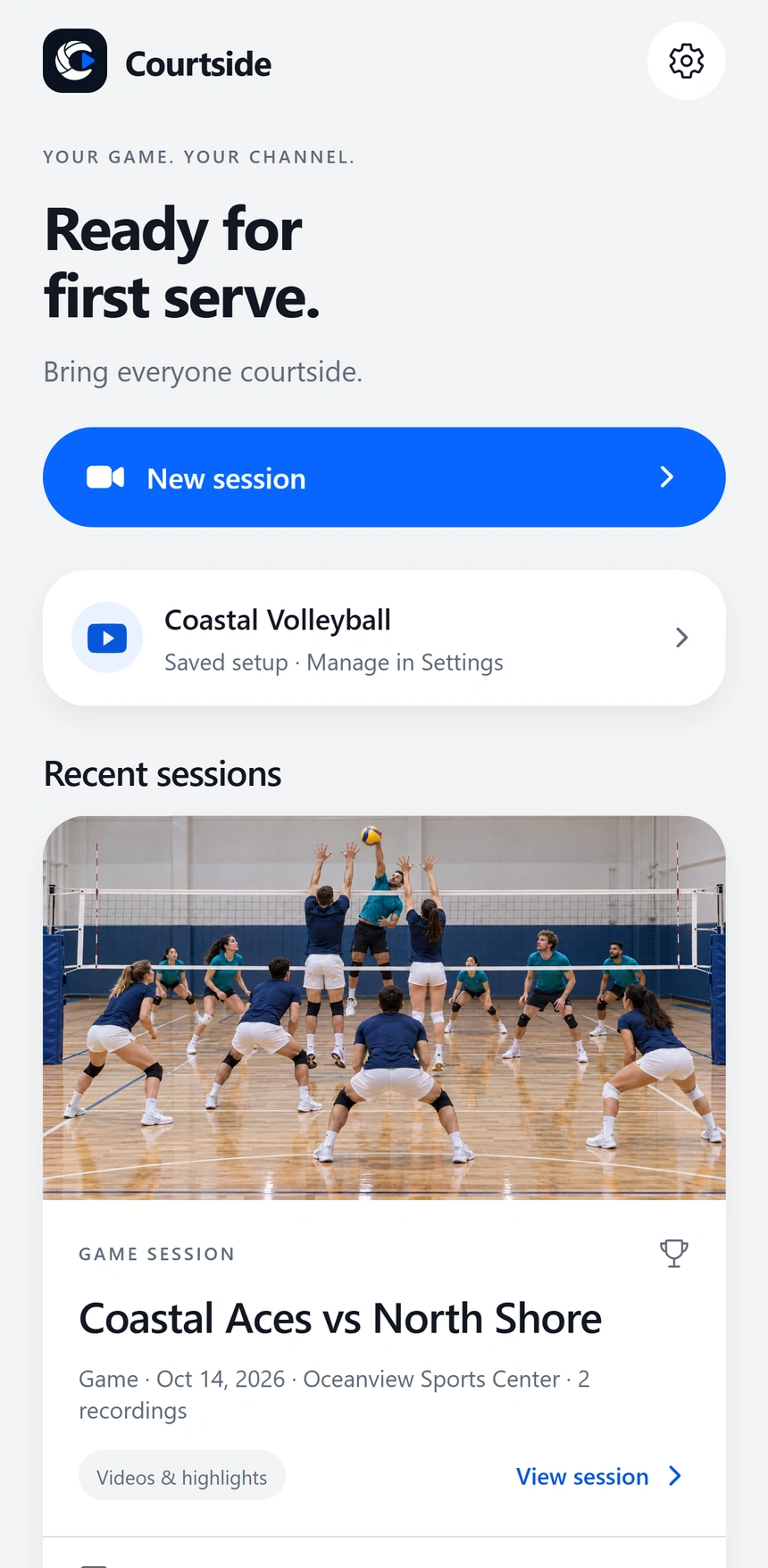
Keep team details, capture choices, footage, and highlights together. Support games and practices so someone can prepare once and return to the recording later.
02Make a small broadcast feel personal
Bring saved rosters and headshots into lineup introductions and player spotlights. Keep the broadcast graphics connected to the capture experience rather than treating them as an unrelated editing task.
03Make capture an explicit choice
Open the camera in preview and let the person choose when to start. Support local recording without YouTube, alongside connected streaming for an eligible channel. Connection and device limits remain part of release testing.
From idea to interface.
Pre-release UI captures with sample content. Select an image for a closer look.
AI helps me move.
Judgment sets the direction.
I use AI-assisted development to work across product design, the React Native interface, and native iPhone capture behavior. The work is in connecting those layers: refining the session flow, checking the graphics against the encoded video, and testing recording and recovery on a physical phone.
Where it is.
Where it goes next.
Courtside HD is a pre-release iPhone application with session setup, YouTube integration, local recording, team graphics, and a local highlight workflow. Its public product website is live. The previews here use fictional teams, players, and illustrative volleyball imagery; they are not evidence of App Store availability or guaranteed stream quality.
What’s next
Complete release validation on iPhone, continue reviewing streaming and recording behavior under real match conditions, and finish the remaining platform reviews before public App Store distribution.
IrrigaPlan
Start a conversation
Good work starts
with a good question.
I’m interested in teams and people turning real problems into useful products. If that’s the work you’re doing, I’d like to hear about it.